Salesforce Sales Cloud ROI Calculator (Salesforce) — a Quiz funnel teardown
ProductSaaS
TypeQuiz
CategoryCRM software
A Sales Cloud ROI calculator, advertised on Facebook and Instagram from the Salesforce page since
August 2026 with “Salesforce customers grow their revenue by 30% on average with Agentforce
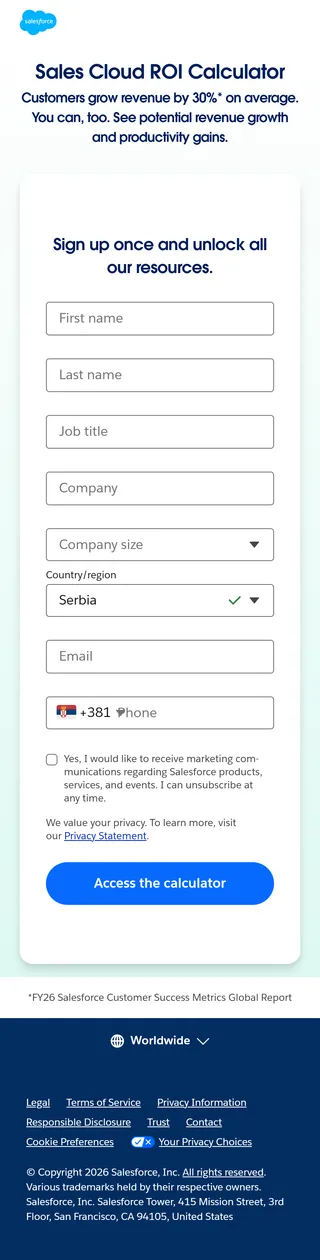
Sales.” The ad leads to Salesforce’s standard gate: eight required fields, phone included.
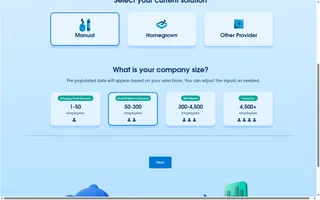
Behind it, the calculator asks two things, both by click: what the team uses now and how big the
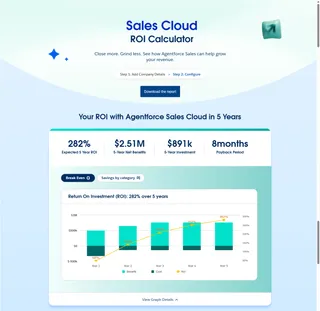
company is. It then shows a complete five-year forecast (282% ROI, $2.51M net benefit, 8-month
payback) built from benchmarks it fills in for the chosen size band, with six value drivers that
each map to a product feature.
Captured without submitting the form. The calculator sits on a public confirmation page whose
address is in the gate’s source. The report download and the follow-up are still to be seen.
Funnel canvas — drag to pan, scroll or use the buttons to zoom. Each node links to that step's page.
The ad promises “30% on average”. The results page turns that into six named gains, each tied to a feature (lead scoring, agents, Data 360), so the forecast is also a feature list.
Eight required answers, phone included, to reach a calculator that asks two questions, both multiple choice. The calculator isn’t where the lead is captured; the form in front of it is.
Pick a size band and the calculator fills in ten benchmarks and six percentages, so the headline (282% ROI, 8-month payback) appears without the visitor typing a single number. Editing is possible, not required.
Below the forecast, the page offers “Start your trial”, “Talk to an expert” and “Stay up to date”, and above it “Download the report”. The number is the reason to talk to sales, and the form in front of it already gave sales the phone number.
Retain
Attract
Capture
Nurture
Sell
Made for a big screen
See all 6 steps as one map
On a computer this funnel opens as a canvas: every page at full length, side by side, with the arrows between them and the moves that make it work. A phone screen can't hold it, so here it's a list.
The ad promises “30% on average”. The results page turns that into six named gains, each tied to a feature (lead scoring, agents, Data 360), so the forecast is also a feature list.
Eight required answers, phone included, to reach a calculator that asks two questions, both multiple choice. The calculator isn’t where the lead is captured; the form in front of it is.
Pick a size band and the calculator fills in ten benchmarks and six percentages, so the headline (282% ROI, 8-month payback) appears without the visitor typing a single number. Editing is possible, not required.
Below the forecast, the page offers “Start your trial”, “Talk to an expert” and “Stay up to date”, and above it “Download the report”. The number is the reason to talk to sales, and the form in front of it already gave sales the phone number.