Product Trial Entry Pages (Heyflow) — a Free-trial funnel teardown

ProductSaaS
TypeFree-trial
CategoryMarketing software
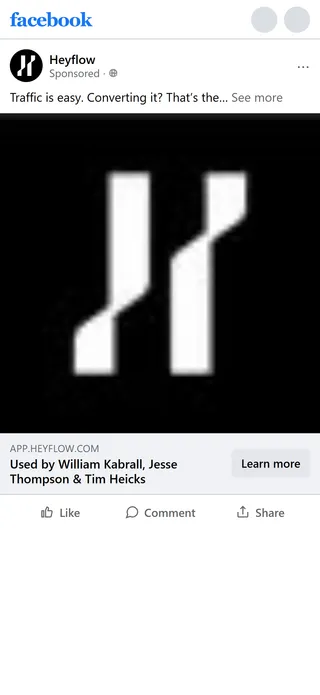
Heyflow — "Traffic is easy. Converting it? That's the hard part." (in-house)

How Heyflow’s product funnel works

The most useful thing to know about this funnel is that it is one funnel, not four. Heyflow’s campaign points at four destinations — the homepage, a lead-funnels landing page, an MCP feature page, and the signup page itself — but three are entry variants, and every CTA resolves to one of exactly two exits: self-serve signup, or a sales-assisted contact flow.

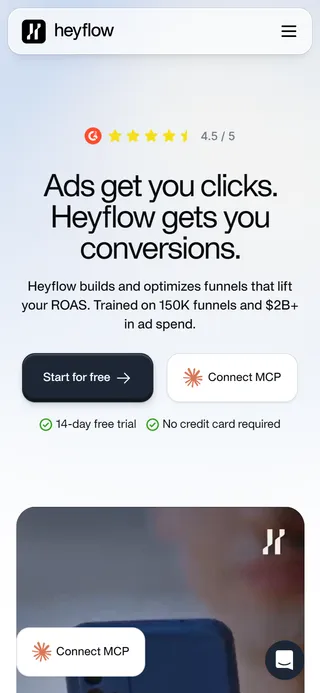
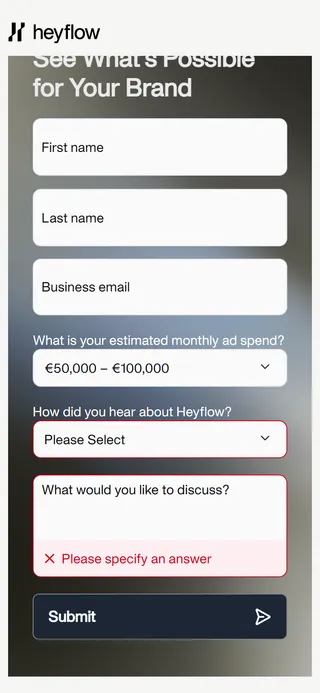
The two exits are pitched at different buyers, not different budgets. Five of the twenty ads skip every landing page for a no-LP path straight to signup, while the homepage hero runs “Start for free” and “Connect MCP” side by side, forking marketers and developers at the first screen. The sales flow’s qualification is deliberately soft — spend brackets starting “Under €25,000”, plus an explicit “I don’t spend money on paid advertising” option — so nobody is filtered out. Compare the 72-hour unlock funnel, where the same company’s same offer enforces a $100,000 floor behind a nine-screen quiz. Heyflow gates the service and opens the product, and the two are cross-linked: that funnel’s disqualified branch exits into this one’s signup URL.

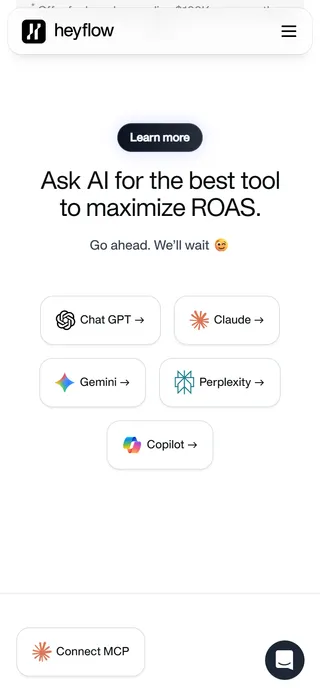
“Ask AI for the best tool to maximize ROAS. Go ahead. We’ll wait 😉” is the most novel mechanic in either capture. Five buttons deep-link into ChatGPT, Claude, Gemini, Perplexity and Copilot. Three carry a pre-filled favourable query; the Claude button opens a pre-baked shared conversation rather than a live prompt, so what looks like an invitation to check independently is partly a curated transcript. Heyflow measures the return leg too — the contact-sales form lists “AI Chat” among its “how did you hear about us?” options. It only works alongside a zero-risk next step: “no credit card required” is what makes inviting the comparison affordable.

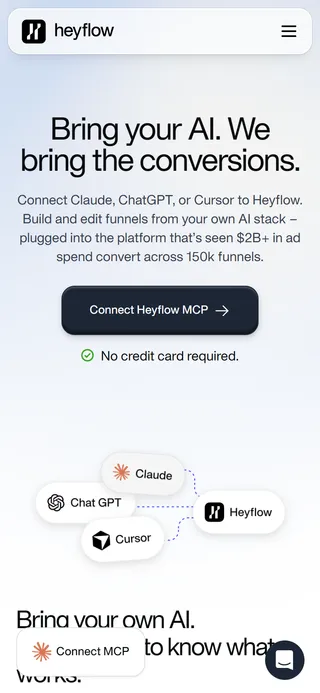
The MCP page inverts the campaign’s own argument. Heyflow’s ads attack vibe coding directly — “You can build a funnel on Claude and Lovable, but it won’t improve your ROAS.” The MCP page then sells Heyflow as the layer underneath those same tools: “Bring your AI. We bring the conversions.” Its install path ends with an OAuth authorization inside Claude’s connector settings — so this funnel’s Capture step happens in another vendor’s product, not on a Heyflow page at all.
Funnel canvas — drag to pan, scroll or use the buttons to zoom. Each node links to that step's page.

Attract

Capture

23Contact Sales form fieldsHeyflow — Contact Sales form fields

Sales is soft, not a gate

The contact-sales spend brackets start at "Under €25,000" and include "I don't spend money on paid advertising", so nobody is turned away. The same 72-hour offer sits behind a $100K quiz in its sibling funnel.

Nurture

3Contact-sales confirmation screens (not captured)Heyflow — Contact-sales confirmation screens (not captured)

The form triages before a human does

The contact-sales flow carries two confirmation screens: a plain "we have received your request", or a push to book a meeting with a calendar embed. Leads are sorted into fast and slow paths before anyone at Heyflow has seen them.

Sell

4"Ask AI for the best tool to maximize ROAS"Heyflow — "Ask AI for the best tool to maximize ROAS"

Five AIs vouch for the product

Five buttons open ChatGPT, Claude, Gemini, Perplexity and Copilot under "Go ahead. We'll wait". The Claude button opens a pre-baked shared conversation, and "no credit card required" makes the invitation safe.

Retain

5Product onboarding after signup (not captured)Heyflow — Product onboarding after signup (not captured)

The trial clock starts at intent

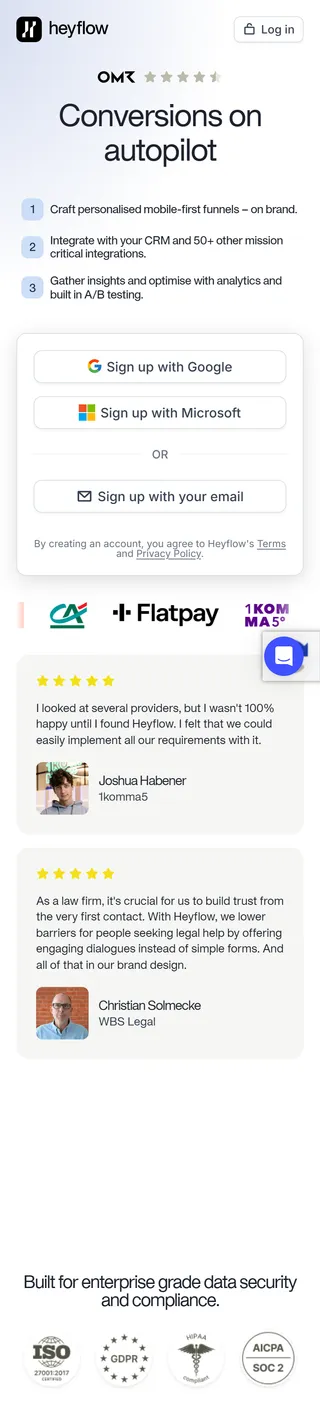
Three one-click signup routes (Google, Microsoft, email) hand the account straight to the product with no verification step in between. The 14-day trial starts the moment the visitor decides.

Made for a big screen

See all 15 steps as one map

On a computer this funnel opens as a canvas: every page at full length, side by side, with the arrows between them and the moves that make it work. A phone screen can't hold it, so here it's a list.

  1. Heyflow — "Traffic is easy. Converting it? That's the hard part." (in-house)Ad"Traffic is easy. Converting it? That's the hard part." (in-house)
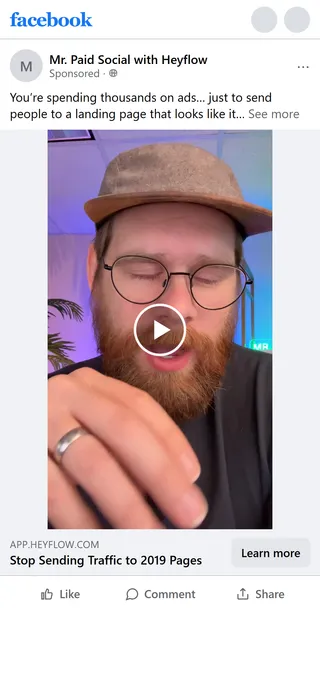
  2. Heyflow — "Stop Sending Traffic to 2019 Pages" (Mr. Paid Social branded content)Ad"Stop Sending Traffic to 2019 Pages" (Mr. Paid Social branded content)
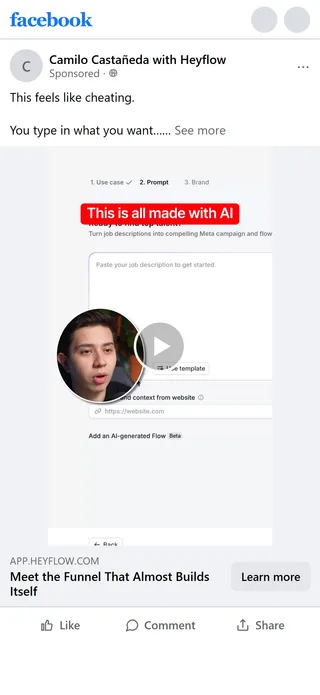
  3. Heyflow — "This feels like cheating." (Camilo Castañeda branded content)Ad"This feels like cheating." (Camilo Castañeda branded content)
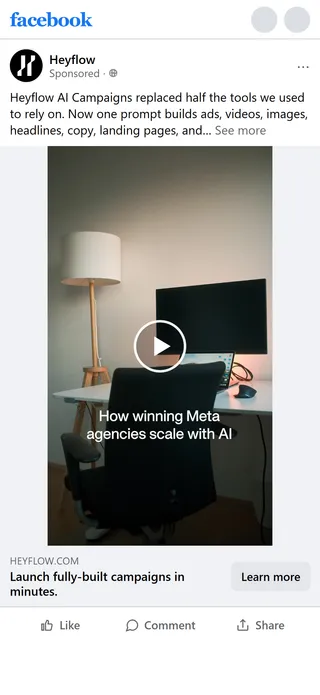
  4. Heyflow — "Heyflow AI Campaigns replaced half the tools we used to rely on"Ad"Heyflow AI Campaigns replaced half the tools we used to rely on"
  5. Heyflow — Homepage ("Ads get you clicks. Heyflow gets you conversions.")Landing pageHomepage ("Ads get you clicks. Heyflow gets you conversions.")

    Many doors, two exits

    Ads, the homepage and the MCP page all resolve to one of two exits: self-serve signup, or the contact-sales flow. Five of the twenty ads skip every landing page and go straight to signup.

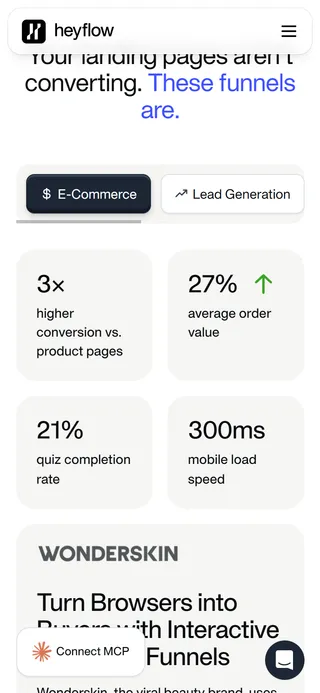
  6. Heyflow — Tabbed vertical selectorLanding pageTabbed vertical selector
  7. Heyflow — MCP feature page ("Bring your AI. We bring the conversions.")Landing pageMCP feature page ("Bring your AI. We bring the conversions.")
  8. Heyflow — Trial signup (app.heyflow.com/signup)OnboardingTrial signup (app.heyflow.com/signup)
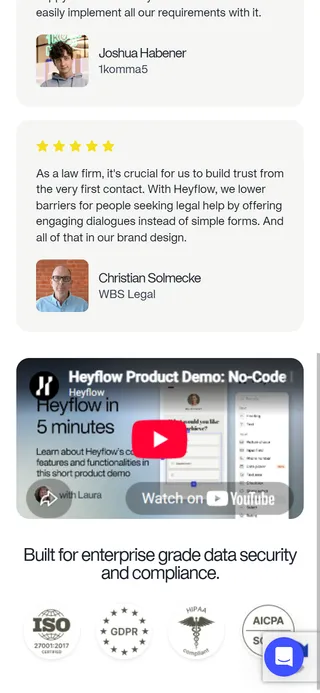
  9. Heyflow — Trial signup — product demo embedOnboardingTrial signup — product demo embed
  10. Heyflow — Contact Sales flowOpt-in/lead formContact Sales flow
  11. Heyflow — Contact Sales form fieldsOpt-in/lead formContact Sales form fields

    Sales is soft, not a gate

    The contact-sales spend brackets start at "Under €25,000" and include "I don't spend money on paid advertising", so nobody is turned away. The same 72-hour offer sits behind a $100K quiz in its sibling funnel.

  12. Heyflow — Contact-sales confirmation screens (not captured)Thank-you/confirmationContact-sales confirmation screens (not captured)

    The form triages before a human does

    The contact-sales flow carries two confirmation screens: a plain "we have received your request", or a push to book a meeting with a calendar embed. Leads are sorted into fast and slow paths before anyone at Heyflow has seen them.

  13. Heyflow — "Ask AI for the best tool to maximize ROAS"Landing page"Ask AI for the best tool to maximize ROAS"

    Five AIs vouch for the product

    Five buttons open ChatGPT, Claude, Gemini, Perplexity and Copilot under "Go ahead. We'll wait". The Claude button opens a pre-baked shared conversation, and "no credit card required" makes the invitation safe.

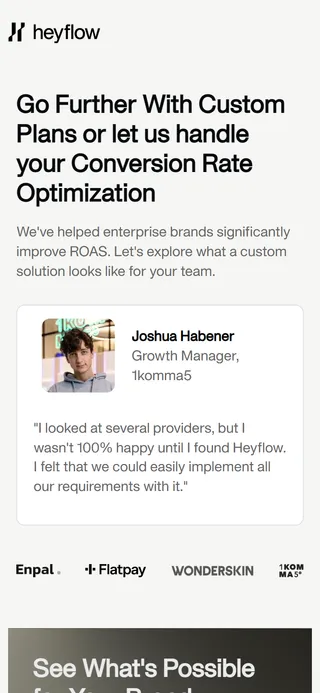
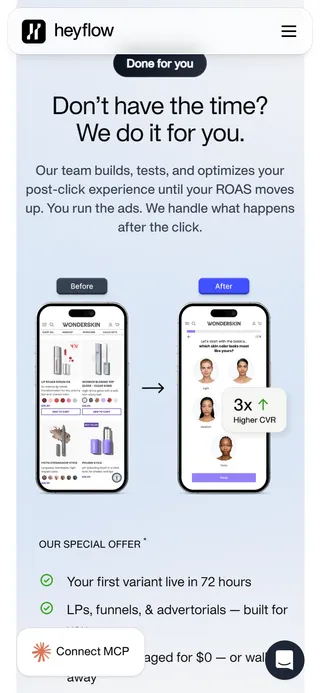
  14. Heyflow — "Don't have the time? We do it for you."Landing page"Don't have the time? We do it for you."
  15. Heyflow — Product onboarding after signup (not captured)OnboardingProduct onboarding after signup (not captured)

    The trial clock starts at intent

    Three one-click signup routes (Google, Microsoft, email) hand the account straight to the product with no verification step in between. The 14-day trial starts the moment the visitor decides.

View asset page →